
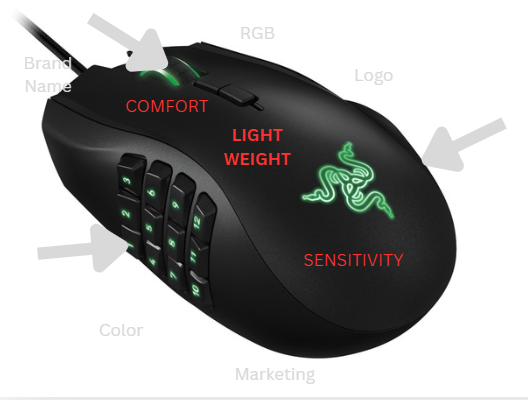

Anyone who has a computer has probably used a mouse, but for gamers, a mouse means more than a tool for opening tabs. Every flick, scroll, and click impacts performance, so optimizing these inputs is essential. When a consumer searches for a mouse, they are met with questions about which grip style, weight, shape, and features give them the biggest leg up in performance. Searching for a gaming mouse on Amazon alone bombards customers with specifications such as color, polling rate, DPI, receiver, design pattern, and weight, many of which likely do not affect performance.
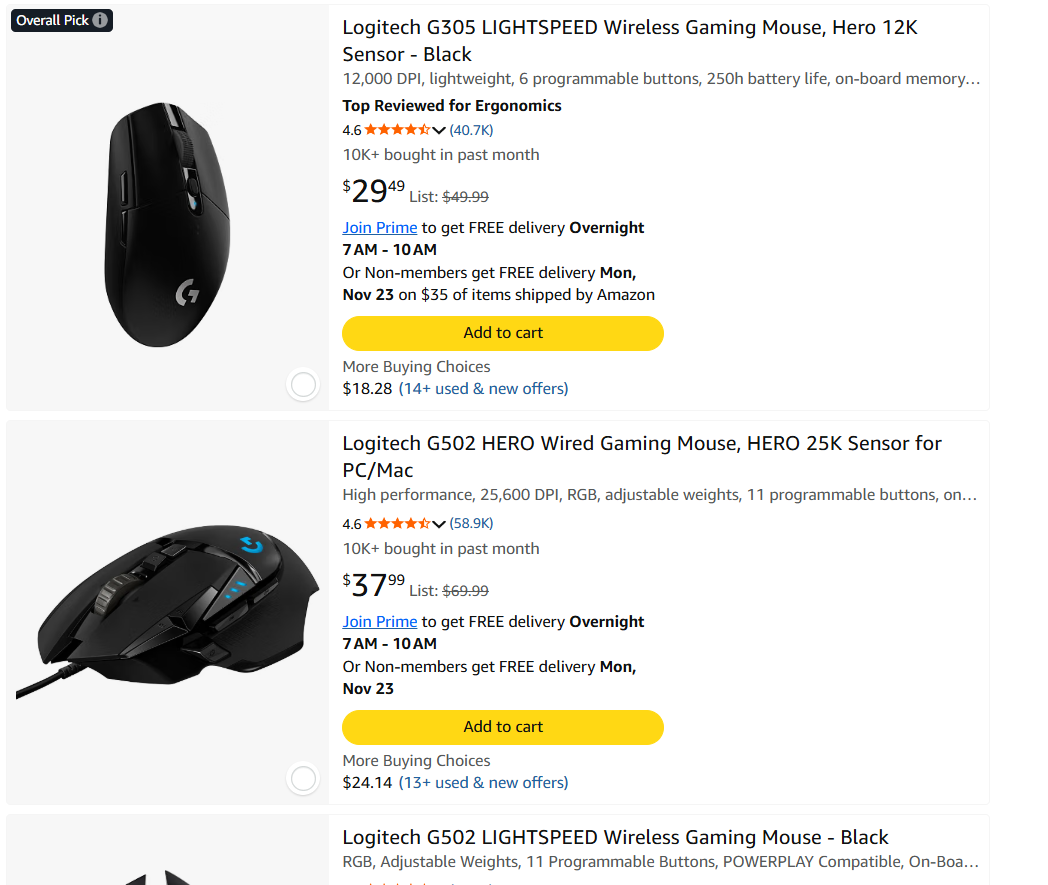
So to pick the best mouse, one must first assess the qualities that affect performance. Firstly, with mouse grip, certain mice are best oriented for one or more of palm, claw, or fingertip grip.
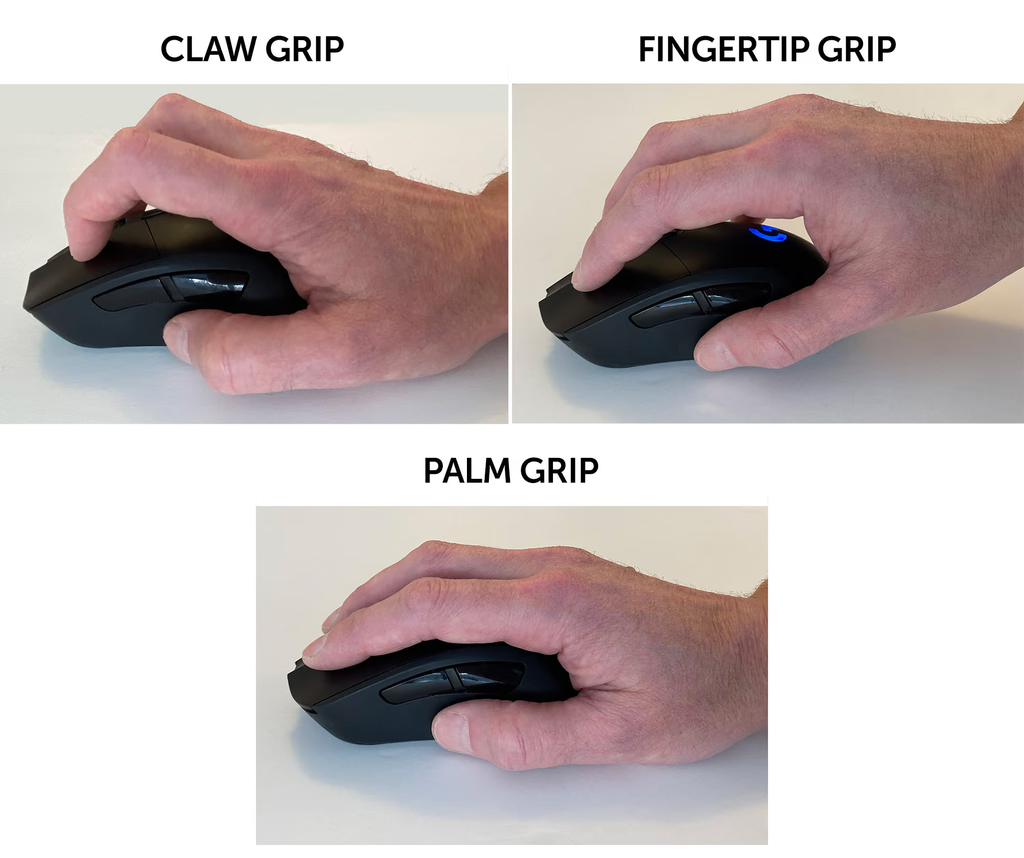
(Das Keyboard, 2022)
Researchers hypothesized that palm grip would produce the best flicking and tracking performance, as biomechanically the grip changes the position of the hand, wrist, and forearm in a manner that evenly distributes contact, reducing the pressure as force per unit of area decreases (Sanchis-Sanchis et al., 2024). Claw and fingertip grip place the hands in more flexed positions, requiring greater fine motor control (Sanchis-Sanchis et al., 2024). However, researchers found no significant differences in flicking or tracking performance, as reaction time was the strongest factor in performance (Sanchis-Sanchis et al., 2024).
From learning that reaction time may affect performance, attention then shifts to mouse weight as a factor gamers should consider when selecting a mouse. Researchers tested this by comparing 50, 60, 90, and 100 g mice, measuring speed, accuracy, and precision (Conroy et al., 2022). Researchers found that players performed 4% faster and were 9% more accurate with lighter mice in comparison to a 100 g mouse (Conroy et al., 2022). Physics supports this, as static friction (force resisting movement) determines whether a mouse moves, and static friction increases with weight, with all other variables held constant.
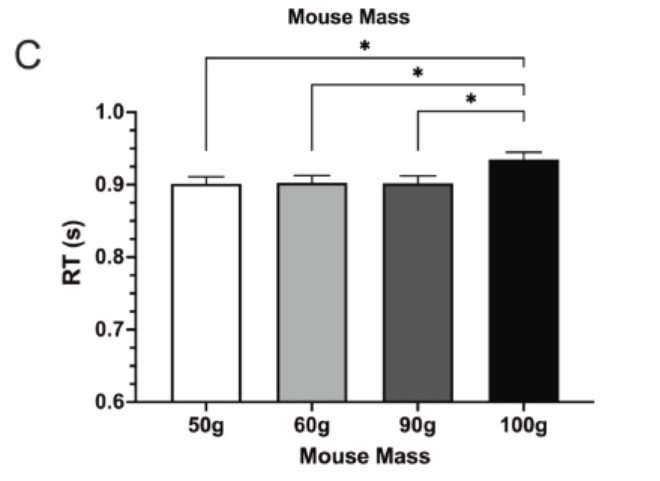
(Conroy et al., 2022)
The next factor gamers often consider is sensitivity. There are YouTube videos, discussions, threads, and all sorts of media claiming to know the best DPI (cursor speed) setting for gaming mice. However, researchers found that an optimal range of mouse sensitivity does exist: 20-80 cm/360° (how many centimeters you would have to move your mouse to turn 360 degrees in-game), where speed and precision are optimized in accordance with the speed-accuracy tradeoff hypothesis (Boudaoud et al., 2022). So instead of a specific DPI, which many mouse brands themselves promote, the actual in-game sensitivity matters more. To conclude, the best gaming mouse is a lightweight mouse with a sensitivity setting that feels natural, not the one with the flashiest specs or biggest brand name.
References
Boudaoud, B., Spjut, J., & Kim, J. (2022). Mouse sensitivity in first-person targeting tasks. In 2022 IEEE Conference on Games (CoG). IEEE. https://doi.org/10.1109/CoG51982.2022.9893626
Conroy, E., Hasegawa, M., & colleagues. (2022). The effect of computer mouse mass on target acquisition performance among action video gamers. Applied Ergonomics, 98, 103587. https://doi.org/10.1016/j.apergo.2021.103587
Das Keyboard. (2022, February 14). Claw vs. palm vs. fingertip: Mouse grips compared [Photograph]. Das Keyboard Blog. https://www.daskeyboard.com/blog/claw-grip-palm-grip-fingertip-grip-mouse-grips
Gucel, O. (2014). Razer Naga 2014 MMO Gaming Mouse [Photograph]. Flickr. https://www.flickr.com/photos/126089327@N04/14714867599/
Sanchis-Sanchis, R., García-Massó, X., & colleagues. (2024). Influence of mouse grip type on flicking and tracking tasks performance. Applied Sciences, 14(15). https://doi.org/10.3390/app14156632
